


DamonSX2 Pro - PS2 Emulator
3.3299.00 Reviews
App Specs
- Version
- 420
- Updated On
- License
- Free
- Downloads
- 1,000,000+
- Developer
- Reinferno Pvt. Limited
- Categories
- Libraries & Demo
- Platform
- Android
Screenshots
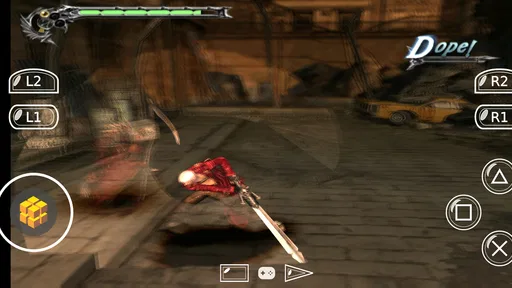
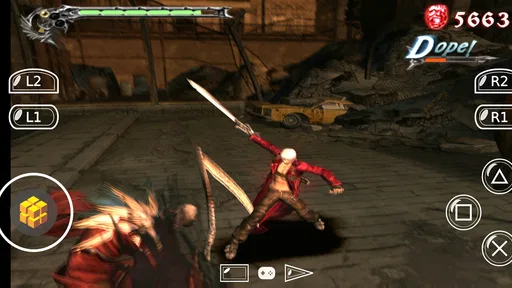
 Analysis by AppCompare
I approach any console emulator with two questions in mind: can I make it useful on a phone, and do I understand what I’m choosing to install? DamonSX2 Pro is a PS2 emulator from Reinferno Pvt. Limited, listed in the Libraries & Demo category. It is free, rated for Everyone, and has reached over a million installs. Its average is 3.2 from around 4,100 ratings, with 295 written reviews, so the reception looks mixed rather than universally enthusiastic. That is a reason to set realistic expectations, not a verdict by itself.
What trust looks like in practice
An emulator sits between your device and games you bring to it, so I would not judge it by nostalgia or a polished interface alone. I’d first check the app’s permission prompts and make sure each request makes sense for the action I’m taking. I also look for clear choices on the screen before importing files or changing settings. Those checks are useful habits with any emulator; I wouldn’t treat them as proof of a particular privacy or security practice.
The app is free, which lowers the barrier to trying it, but I still recommend reading the current store information and Android permission prompts yourself. If you prefer apps with a clearly explained account system, privacy controls, or data choices, verify those details before committing. I can’t responsibly turn an unknown into a reassuring claim. My practical standard is simple: install only if the choices you can see are comfortable to you, and stop if a permission or prompt seems unrelated to what you’re doing.
Keep your setup deliberate
For a first session, I’d use a game file I already know how to locate and keep the experiment small: open the emulator, select the file, test a short section, then decide whether to adjust controls or graphics. This makes it easier to tell whether a problem comes from the game, the device, or a setting you changed. It also avoids spending an evening building a large library before learning how the app behaves on your phone.
Think about where your files come from and whether you have the right to use them. An emulator is not the same thing as a collection of games, and installing one should not be taken as permission to download copyrighted titles. I’d keep personal files organized and backed up separately, particularly before moving them or changing a setup. That is a useful precaution for convenience as much as for control.
Installation and User Interface
Getting started with DamonSX2 Pro is a breeze. The installation process is straightforward, and you’ll be up and running in no time. Once installed, you’re greeted with a clean and intuitive user interface. Everything is laid out clearly, making it easy for even the most tech-averse among us to navigate. Just select your game ISO, and you’re off to the races!
Emulation Performance
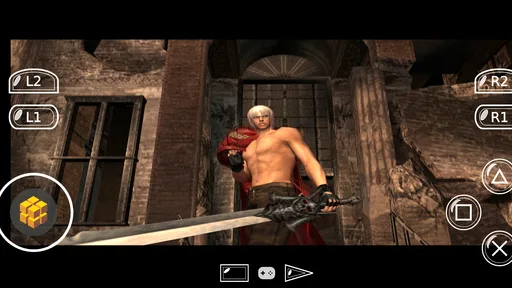
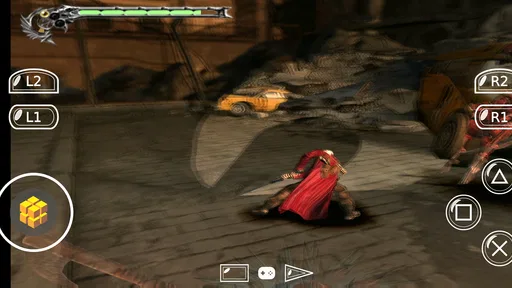
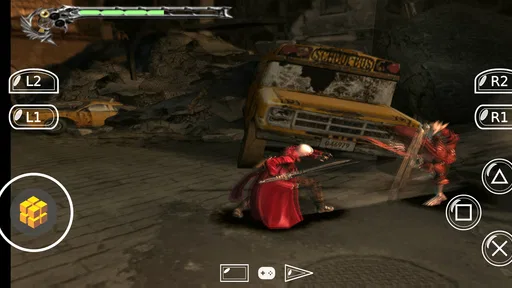
This is where the magic happens. The performance of DamonSX2 Pro is nothing short of impressive. It supports a plethora of PS2 games, running them with remarkable speed and smoothness. I’ve tried it with a few of my old favorites like Final Fantasy X and Shadow of the Colossus, and they run like a dream. The graphics rendering is superb, and the audio is crisp, capturing that authentic PS2 vibe.
Worth Reading Before You Choose

EA SPORTS FC Mobile 26 Is a Bigger Football Game, but It Takes Time

Flipboard Shows What News Apps Must Do Beyond the Feed

Switching to Android Auto Means Rethinking Your Driving Routine

Google Calendar Makes a Crowded Week Easier to Manage

Ludo King Makes the Most of the Minutes Between Plans

Baby Panda World Brings Quick Play to Modern Phones, but Its Game Library Feels Busy
That smooth experience is the part I’d be most careful about generalizing. A phone’s processor, graphics capability, heat, and available memory all affect emulation, and PS2 games can place a very different load on a device from simpler retro systems. One title running well does not guarantee that another will behave the same way. I’d test a demanding scene as well as a quiet menu, because slowdowns, sound interruptions, or excessive heat may show up only after the phone has been working for a while.
If you’re choosing between this and a basic 2D or older-console emulator, the trade-off is clear: those alternatives tend to be a more sensible fit for quick sessions and modest hardware, while a PS2 emulator aims at games with more complex graphics and controls. If your priority is broad access to older systems in one place, a multi-system option may suit you better. DamonSX2 Pro makes more sense when your goal is specifically PS2 play and you’re willing to test compatibility one game at a time.
Features and Customization
DamonSX2 Pro comes packed with features that enhance your gaming experience. You can customize your controls to suit your play style, and there’s support for external controllers, which is a huge plus. The app also supports save states, so you can pick up right where you left off without any hassle. And if you’re into tweaking, the app offers settings to adjust the graphics and performance, ensuring you get the best out of your device.
For a practical setup, I’d map only the controls I use often before changing anything else. A touchscreen layout can work for turn-based games, where pauses to choose a command are natural, but it is less convincing for games that depend on quick, precise movement. An external controller can help with that, though I’d check how the buttons feel in the particular game rather than assuming every title will suit the same layout. A small, deliberate adjustment is easier to undo than a long list of unexplained tweaks.
Save states are especially useful when a game has a long stretch between its ordinary save points: I can pause a short mobile session and return to the same moment later. I would treat them as a convenience, not as my only backup. Keep using a game’s own save system where possible, and avoid relying on a single state for progress you care about. If an update or a setting change affects a session, having an in-game save gives you another way to continue.
Graphics and performance options are best approached as a trade-off, not a contest to push every slider upward. If a game stutters, I’d change one setting at a time and replay the same section; otherwise it is hard to know which adjustment helped. If it already runs smoothly, I would leave it alone. Higher visual demands can be a poor bargain on a phone that gets warm or loses responsiveness, while a more conservative setup may make a longer session more comfortable.
A realistic use case is a short break at home with a controller already paired: I select one familiar game, play for a while, use a save state when I need to stop, and return later without carrying a console around. On a commute, touch controls may be easier to pack but less satisfying for action-heavy play, and a phone’s battery and screen size become part of the experience. I’d choose the game and control method around the session rather than expect a mobile setup to reproduce every part of playing on a television.
Compatibility and Limitations
While DamonSX2 Pro supports a wide range of PS2 titles, it’s worth noting that not all games will run perfectly. Some titles might experience minor glitches or slowdowns, depending on your device’s hardware. However, the development team is continually working on updates, and improvements are made regularly.
The app is on version 420 and supports Android 8.0 or later, so it is worth checking your device’s software before trying it. I would also leave room for trial and error: compatibility can vary by title, and a game that launches may still have issues during a particular scene. If your main aim is dependable access to one specific game, look for recent reports about that title and your kind of device before making this your only way to play. A native version, a console, or another established way to play may be the better choice when reliability matters more than portability.
Newcomers may wonder whether the emulator includes games. I would plan on supplying compatible game files rather than treating the app as a game library; the important preparation is knowing where your files are and selecting the correct one. If a file does not appear or a game behaves oddly, check the file and try a known working title before changing several settings at once. That simple comparison can save time and prevent a troubleshooting session from becoming guesswork.
For someone deciding whether to install, my dividing line is patience. This is a reasonable experiment for a person who already has legitimate PS2 game files, enjoys adjusting controls, and accepts that results can differ across titles and phones. I’d skip it if I wanted a turnkey catalogue, guaranteed performance, or a hands-off experience with no setup. The same goes for anyone uncomfortable reviewing permissions and visible choices before using an app: take time to inspect them, or choose a route whose controls and data practices are clearer to you.
Final Thoughts
In the world of emulators, DamonSX2 Pro stands out as a fantastic option for anyone looking to relive the golden age of PS2 gaming on their mobile device. It’s fast, feature-rich, and user-friendly, making it a must-have for any serious gamer. So, dust off those old game ISOs and get ready to dive back into some timeless classics. Trust me, your inner child will thank you!
My more cautious recommendation is to treat it as a promising, hands-on option rather than a guaranteed replacement for a PS2. The 3.2 average suggests that people’s experiences are not all alike, and that fits the reality of emulation: phone hardware, game choice, and personal tolerance for setup matter. I’d start with one title, check the visible app choices, and keep an in-game save as well as any convenient save state. If that first test feels good, it can make a familiar game easier to revisit; if it does not, a different way to play is likely the better use of your time.
Pros
- High compatibility with PS2 games.
- Fast and smooth performance.
- Supports save and load states.
- Customizable controls and layout.
- HD graphics enhancement options.
Cons
- Requires a powerful device.
- Contains in-app purchases.
- Occasional minor bugs.
- No multiplayer support.
- High battery consumption.
FAQs for DamonSX2 Pro - PS2 Emulator
What is DamonSX2 Pro, and how does it work?
DamonSX2 Pro is a high-performance PlayStation 2 emulator for Android devices. It allows users to play PS2 games on their smartphones or tablets by emulating the PS2 hardware. The app supports a wide range of PS2 games and offers features like fast loading, customizable controls, and improved graphics. Users need to have the game ROMs to use the emulator effectively.
Is DamonSX2 Pro compatible with all Android devices?
While DamonSX2 Pro is designed to work on many Android devices, compatibility may depend on your device's specifications. High-end devices with robust processors and ample RAM will provide a smoother experience. Older or less powerful devices might struggle with performance, causing lag or crashes. It's recommended to check the app's requirements before downloading.
Do I need a BIOS file to use DamonSX2 Pro?
Yes, DamonSX2 Pro requires a PS2 BIOS file to function properly. This file is not included with the app due to legal reasons, so users need to source it independently. The BIOS file is essential for the emulator to run games accurately, and without it, the emulator will not function.
Are there any limitations or issues with DamonSX2 Pro?
As with many emulators, DamonSX2 Pro may have limitations, such as occasional graphical glitches or compatibility issues with certain games. While the app is frequently updated to improve performance and add new features, not every game will run perfectly. Users should be prepared for some trial and error to find optimal settings.
Is DamonSX2 Pro a free application?
DamonSX2 Pro is a paid application available on the Google Play Store. The price reflects its advanced features and regular updates, which aim to provide users with the best possible emulation experience. Potential users should consider these factors and the app's compatibility with their devices before purchasing.


